
Download iSafePDF – PDF editor, document management, secure PDF, password protection, portable PDF tool, document customization
Overview
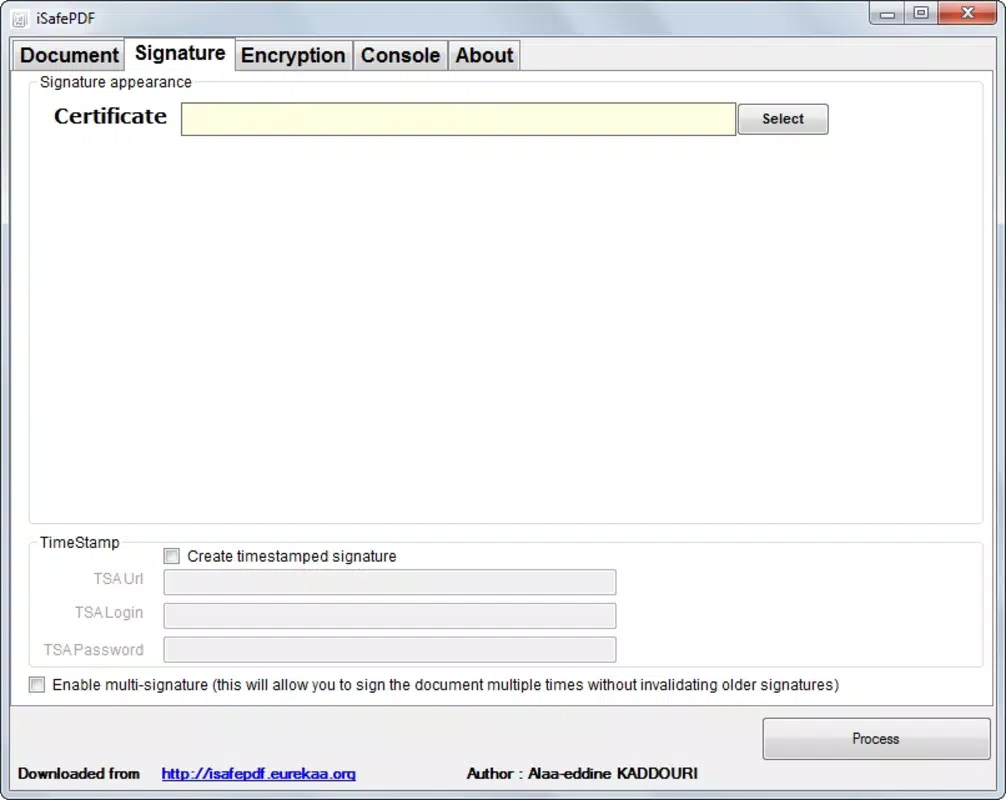
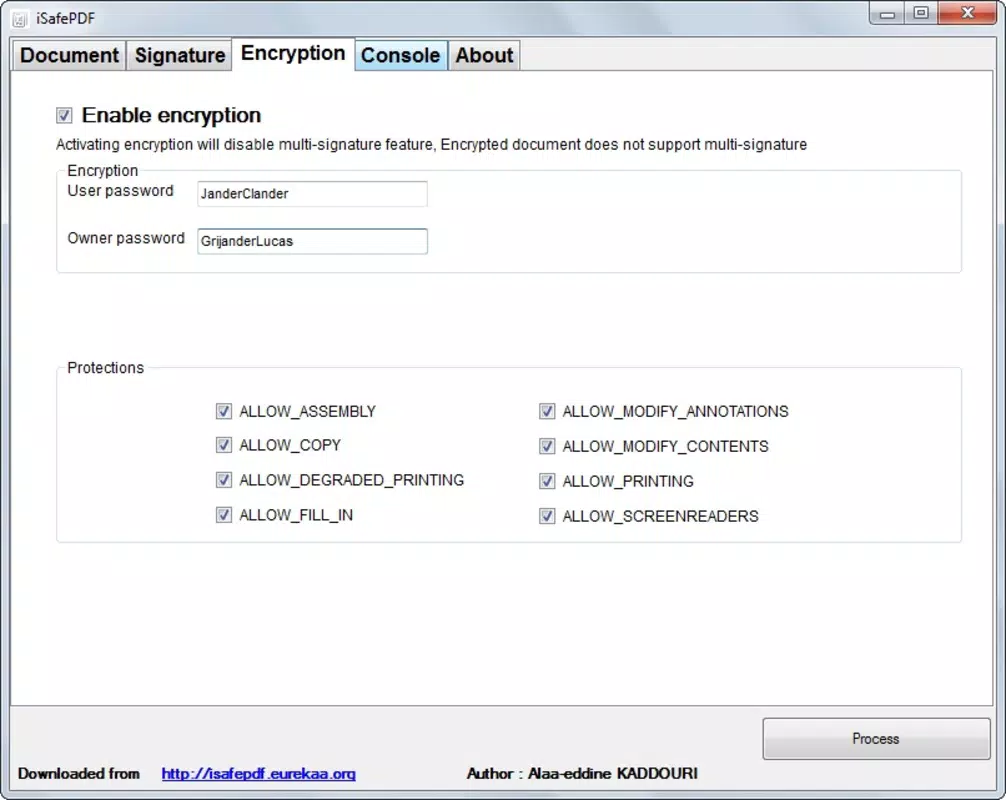
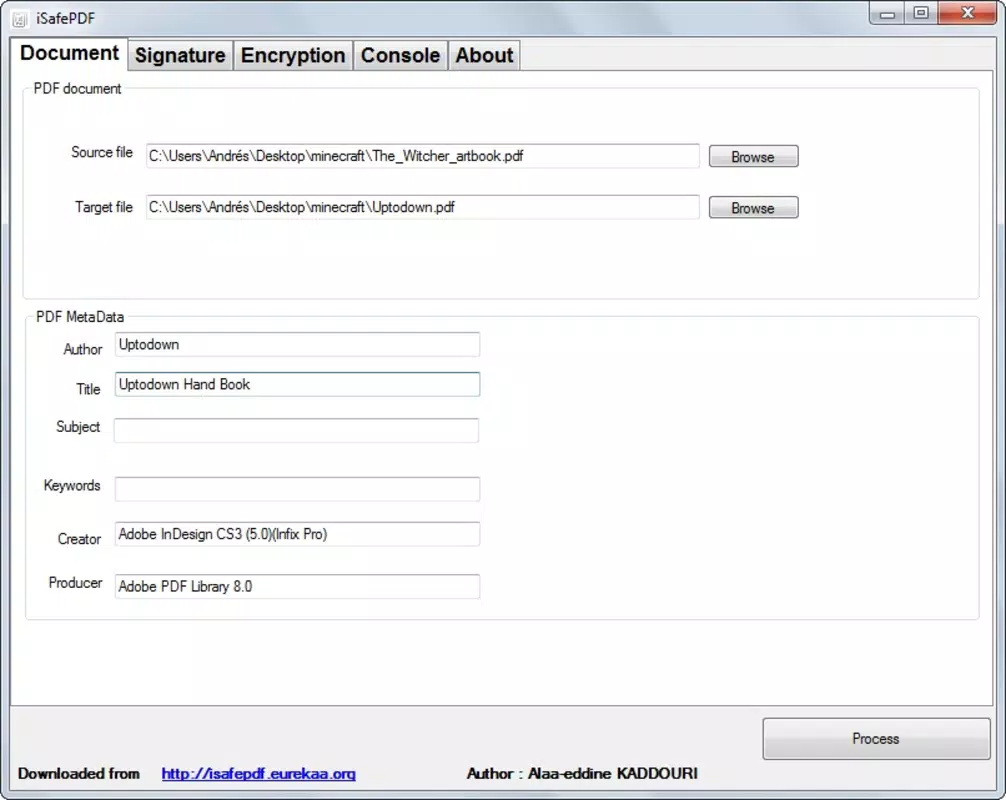
Designed for users seeking a lightweight yet functional solution for PDF manipulation, iSafePDF offers a focused set of tools to modify core document properties. The application enables users to alter the author and title metadata within any PDF file, a feature particularly useful for professionals who need to reassign ownership or update document identities without altering content. Additionally, iSafePDF supports the addition of password protection, enhancing the confidentiality of sensitive files—ideal for legal, financial, or personal documents.
Its ability to apply style variations allows for minor aesthetic adjustments, ensuring documents align with branding or presentation standards. The tool’s portability is a defining characteristic; it operates directly from a USB drive without installation, making it accessible across multiple computers without leaving traces. This makes it suitable for users who work across shared or restricted environments, such as libraries, offices, or public terminals.
Although the developer did not provide additional technical details, the application’s minimal file size of 3.2 MB suggests a streamlined design focused on core functionality. iSafePDF fills a niche in the document management ecosystem by offering secure, no-installation editing for basic PDF metadata and access control. It is not intended as a full-featured PDF editor but rather as a utility for quick, secure modifications.
Key Features & Functionality
- User-Friendly Interface: The application features an intuitive layout that simplifies PDF editing tasks. Even users with limited technical experience can navigate the tool with ease, reducing the learning curve and enabling efficient use in time-sensitive scenarios.
- No Installation Required: iSafePDF runs directly from a USB drive, eliminating the need for system-level permissions or disk space allocation. This is especially beneficial for users who cannot install software on work or public computers.
- Document Customization: Users can modify critical metadata such as the author name and document title. This functionality supports branding consistency and helps maintain accurate document lineage, particularly in collaborative or archival workflows.
- Password Protection: The tool allows users to set access passwords, ensuring that only authorized individuals can open or modify protected files. This feature is vital for safeguarding private or confidential data.
- Style Variations: iSafePDF enables users to apply predefined visual styles to their PDFs, enhancing presentation quality. While not a full design suite, this option adds a layer of customization for professional or personal documents.
For example, a consultant preparing a client report can use iSafePDF to update the author field to reflect their firm’s name, secure the file with a password, and apply a branded style before sharing. Similarly, a student working on a group project can reassign ownership metadata across devices without installing software. These practical applications highlight the tool’s utility in real-world scenarios where portability and basic security are prioritized over advanced editing capabilities.
Interface, UX & Performance
The interface of iSafePDF is designed with simplicity in mind, featuring a clean layout that prioritizes essential functions. Navigation is straightforward, with clearly labeled options for metadata editing, password protection, and style application. The absence of cluttered menus or redundant features contributes to a smooth user experience.
Although the developer did not list formal performance metrics, the application’s small file size suggests efficient resource usage. It is likely to run smoothly on older or low-spec Windows systems without causing lag or high memory consumption. Responsiveness is expected to be consistent, given the tool’s limited scope and non-invasive operation.
Stability appears to be a strength, as the application operates without requiring installation, reducing the risk of conflicts with existing system software. The lack of background processes or persistent data storage further enhances reliability. However, specific performance details across different device categories were not disclosed.
Users should expect a lightweight, dependable experience focused on core PDF modifications. Overall, the UX aligns with the tool’s purpose: quick, secure, and accessible editing without complexity.
Platform Compatibility & Technical Requirements
iSafePDF is available for the Windows operating system. The current version is 1.0, with a file size of 3.2 MB, indicating a compact and efficient design. The application is compatible with Windows platforms, though specific version requirements were not listed.
The developer did not specify minimum OS requirements or hardware prerequisites. As a portable tool, iSafePDF does not require installation, which enhances compatibility across different Windows environments, including those with restricted user permissions. The absence of installation also means it can be used on any computer with a USB port and a compatible OS.
While no information was provided about support for newer Windows versions or system architecture (e.g., 32-bit vs. 64-bit), its lightweight nature suggests broad compatibility. Users should ensure their system supports running portable applications from external drives.
The developer did not disclose update frequency or future development plans.
Pros and Cons
Pros
- Lightweight design with minimal file size (3.2 MB)
- Portable—runs directly from USB without installation
- Secure PDF editing with password protection
- Simple, intuitive interface suitable for non-technical users
- Allows customization of author, title, and document style
Cons
- No advanced editing features beyond metadata and protection
- Specific OS compatibility details were not provided
- Limited to Windows platform
- Developer did not disclose update frequency or support details
- Does not support editing PDF content or formatting
FAQ
Is iSafePDF safe to download and use?
Yes, iSafePDF is a free, portable tool that does not require installation. It operates from a USB drive and does not install system-level components, reducing potential security risks. However, users should always scan downloaded files with up-to-date antivirus software.
Can I use iSafePDF on Mac or Linux?
Currently, iSafePDF is only available for Windows. There is no official support for Mac or Linux systems.
Does iSafePDF modify the actual content of a PDF?
No. iSafePDF does not alter the text, images, or layout within a PDF. It only modifies metadata (author, title), applies password protection, and adjusts visual styles.
How do I install iSafePDF?
iSafePDF is a portable application and does not require installation. Simply copy the file to a USB drive and run it directly from any Windows computer.
Is iSafePDF updated regularly?
The developer did not disclose information about update frequency or future development plans. Users should check for new versions manually if available.
Final Thoughts
iSafePDF stands out as a specialized tool for users who need quick, secure, and portable PDF modifications. Its ability to change metadata, add password protection, and apply visual styles without installation makes it a practical choice for professionals, students, and anyone working across multiple devices. While it lacks advanced editing features, its focused functionality delivers reliable results for its intended purpose.
The tool’s lightweight nature and ease of use enhance accessibility, especially in environments with strict software policies. For those seeking a no-frills, secure way to manage PDF properties on the go, iSafePDF offers a compelling solution. Download iSafePDF now.


